Beyond Dashboards: How AI Is Changing the Future of EHS
Static dashboards show what already happened. Modern EHS interfaces help teams understand risk and act in the same workflow. AI-powered software connect incident data, hazard reporting, corrective actions, and training so safety leaders can respond faster. The result is a shift from passive reporting to guided prevention.
What is changing in the EHS software interface?
The EHS software interface is moving from passive reporting to guided action. Instead of making users dig through charts, filters, and exports, newer systems help them ask direct questions, pull up the right records, and move straight into the next task.
That change matters because most safety programs don’t break down from a lack of information. They break down when useful information gets stuck between reporting, review, and follow-up.
OSHA’s guidance on leading and lagging indicators supports that shift. Lagging indicators show what already happened, while leading indicators help employers judge whether prevention efforts are working, which makes a strong case for interfaces that help teams act, not just observe.
You can see the problem in everyday work. A supervisor spots a repeat slip hazard, an employee reports a near-miss, and a safety manager notices similar incidents at two sites, but each signal often lands in a different place.
Then the manual work starts. Someone has to pull reports, compare records, email the right people, assign follow-up, and connect the issue back to training before anything actually changes.
That’s the real weakness in older systems. They were built to display information after the fact, but today’s EHS teams need systems that help turn a risk signal into a decision, an action, and a documented next step.
If older systems were designed mainly to display past data, the next question is whether dashboards alone can support the kind of prevention modern safety programs require.
Why are static dashboards no longer enough for EHS teams?
Static dashboards still serve a purpose. They summarize incidents, display trends, and help teams review past performance. The problem is that most dashboards only show what already happened, not what a safety team should do next.
That backward view limits how much a dashboard can support prevention. Safety leaders need tools that help them recognize risk signals early and respond before those signals turn into injuries or equipment damage.
A dashboard might show that hand injuries increased last quarter. What it usually can’t show is which job tasks share the same exposure, which corrective actions remain open, or whether workers received updated training after the issue appeared.
That gap between visibility and action slows down the response. And when response slows down, risk stays in the workplace longer than it should.
If dashboards stop at showing the problem, the next question becomes what the system should help safety teams do after they see it.
What does an interactive EHS interface look like?
An interactive EHS interface helps safety teams move from a question to a decision without leaving the system. Instead of acting like a static reporting tool, the platform helps users surface relevant records, understand what they mean, and take the next step immediately.
That shift matters because safety work rarely follows a neat reporting cycle. Questions come up in the middle of an investigation, during a shift review, or after a worker reports a concern.
A modern interface supports that reality. A safety manager might ask which hazards appeared most often this quarter, then immediately review related incidents, open corrective actions, company procedures, and assigned training tied to the issue.
The experience feels very different from traditional dashboards. Instead of jumping between widgets and spreadsheets to piece together the story, the system brings the related information together in one place.
This approach also supports the different roles that participate in safety programs. OSHA emphasizes worker participation and accessible reporting in its Recommended Practices for Safety and Health Programs, which means the interface must work for more than one type of user.
Each role needs something slightly different:
A frontline worker needs a fast way to report hazards or near-misses
A supervisor needs visibility into open issues and corrective actions
A safety leader needs to detect patterns across facilities or departments
An operations leader needs a quick summary of emerging risks
The best EHS interfaces support all of these needs without forcing every user into the same dashboard view. Once the interface brings information, actions, and roles into one workspace, the next step is understanding how technology can actively guide those decisions.
How does AI turn EHS software into a guidance tool?
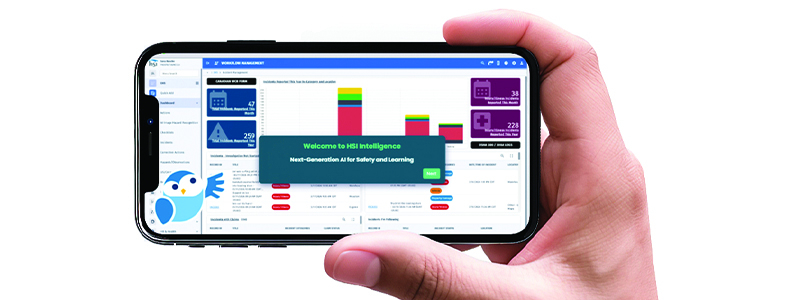
Artificial Intelligence changes how people interact with EHS software. Instead of forcing users to search through records, reports, and procedures, AI surfaces the right information while the work is happening.
That shift reduces the friction between identifying a risk and deciding what to do next. Safety teams can ask questions in plain language and quickly connect incident data, corrective actions, and training that relate to the issue.
See how this works during everyday safety operations.
Example: Warehouse Hazard Reporting
A forklift operator notices pallets stacked in front of an emergency exit and submits a photo from the warehouse floor. The system flags the blocked egress path, recommends corrective action, and routes the issue to the shift supervisor so it can be cleared immediately. The hazard gets addressed right away instead of waiting for the next scheduled inspection or safety review.
Example: Multi-Site Incident Pattern Detection
Now consider a company operating multiple facilities. Several near-miss reports involve the same type of powered equipment, but the incidents occur at different locations. AI reviews the reports, groups the related events, and highlights the pattern. The system can then prompt a review of procedures or training tied to that equipment before the issue leads to an injury.
When software works this way, the interface stops acting like a static record of past events. It starts guiding the next step so safety teams can respond sooner and reduce the chance that small problems turn into serious incidents.
The challenge then becomes finding a system that can bring reporting, analysis, and action together in the same workflow.
How does HSI help companies move beyond dashboards?
HSI provides software and training solutions that help organizations turn safety data into action. Instead of relying on static dashboards and manual reporting, the HSI Platform connects hazard reporting, incident management, corrective actions, and workforce training in one system.
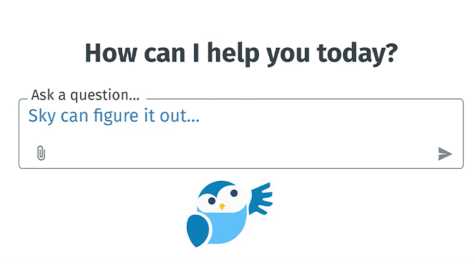
At the center of this experience is Sky™, an AI-powered safety assistant built directly into the HSI Platform. Sky helps safety teams understand what is happening in their safety data and guides them toward the next step.
With HSI, organizations can:
Capture hazards and incidents faster with simple reporting tools that frontline workers can use anywhere
Identify patterns across incidents, inspections, and observations before small problems become serious events
Assign and track corrective actions so hazards are resolved instead of buried in spreadsheets or email chains
Connect incident trends to targeted safety training to prevent repeat mistakes
Use Sky AI to analyze records, summarize incidents, answer safety questions, and recommend next steps
Instead of spending hours building reports and searching for answers, safety leaders get immediate guidance based on their own safety data.
If your current EHS software still depends on static dashboards and manual follow-up, it may be time for a different interface.
Take a self-guided tour of Sky™ or discover how organizations move from passive reporting to proactive prevention. Schedule a demo to see how your team can turn safety data into faster, smarter action.
FAQ
What is an interactive EHS software interface?
An interactive EHS interface helps users move from question to action inside the same system. Instead of only showing charts and reports, the interface helps workers report hazards, review incidents, assign corrective actions, and access training in one workflow.
How does AI help identify workplace safety trends?
AI can review large volumes of incident reports, inspections, and observations to detect patterns that people might miss. By grouping similar events and highlighting recurring hazards, AI helps safety teams investigate root causes and act before more injuries occur.
Why is fast hazard reporting important in an EHS software?
Fast reporting helps safety teams address hazards before they lead to injuries or equipment damage. OSHA also requires employers to provide reasonable procedures for reporting workplace injuries and illnesses under 29 CFR 1904.35, so clear and accessible reporting tools are essential.
How can EHS software connect incidents to employee training?
Modern EHS software can link incident trends to relevant training courses. When a pattern appears, such as repeated equipment misuse or slip hazards, the system can recommend refresher training so workers receive guidance tied directly to the risks they face.
What should companies look for in modern EHS software?
Organizations should look for tools that support hazard reporting, incident investigation, corrective actions, inspections, and workforce training in one system. Platforms that connect these activities help safety teams respond faster, track improvements, and maintain clear compliance records.
Related Articles
Generic AI vs AI Built for EHS Leaders: What You Need to Know
Purpose-Built AI vs Generic AI for Workplace Safety
Workplace Safety

AI for Workplace Safety Starts Here: Meet Sky™
Meet Sky™! What Happens When You Ask Sky a Safety Question? | HSI
Emergency Care
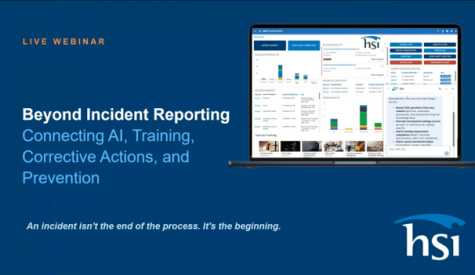
Beyond Incident Reporting: Connecting AI, Training, Corrective Actions & Prevention
Don't stop at reporting. Start preventing. Discover how AI, training, and corrective actions work together to transform...
Resources